How to archive a class?
Here's how you can easily archive a class from the teacher dashboard:
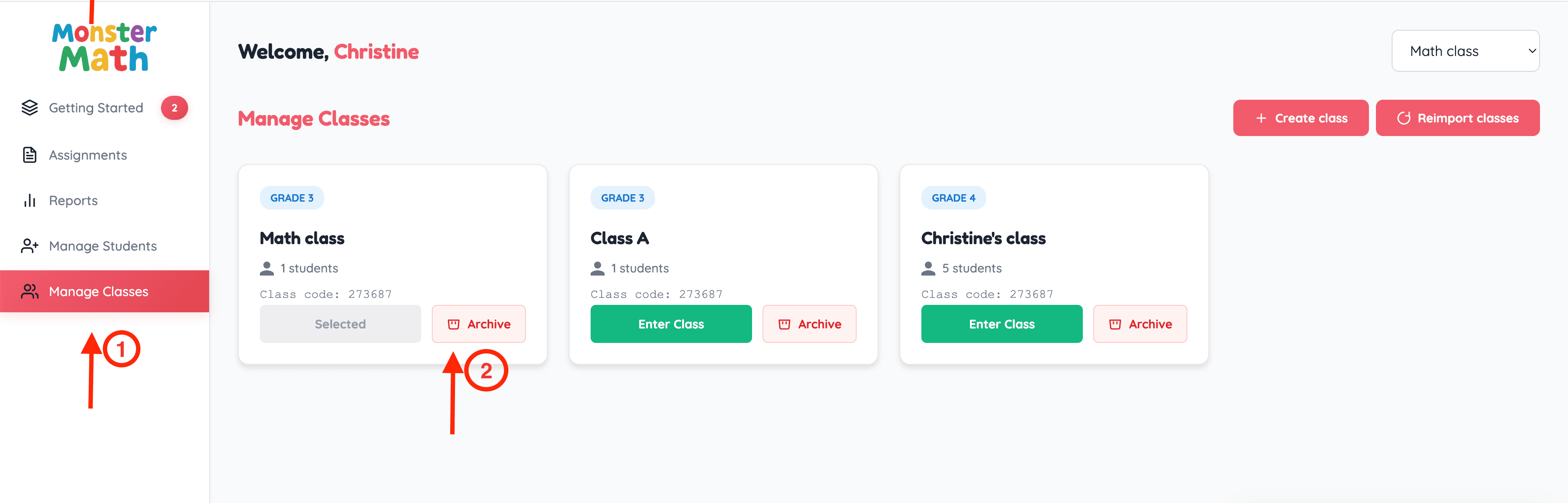
- Click on 'Manage Classes' on the left side of the dashboard.
- Click on the 'Archive' button for the class you'd like to archive.
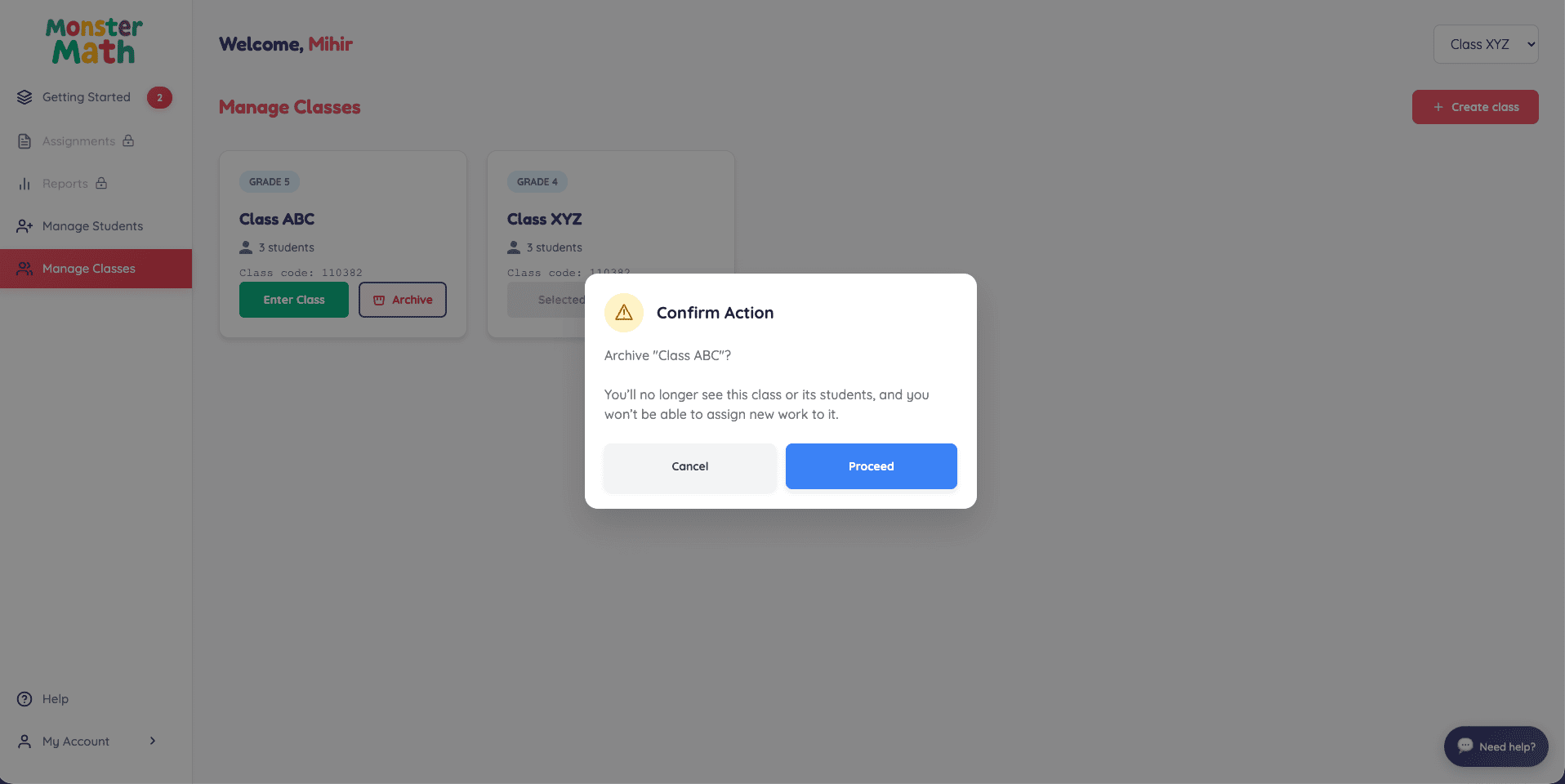
3. Confirm the action by tapping on 'Proceed' and the class will be archived.