You can archive an assignment at any time if you no longer want students to access it.
To Archive an Assignment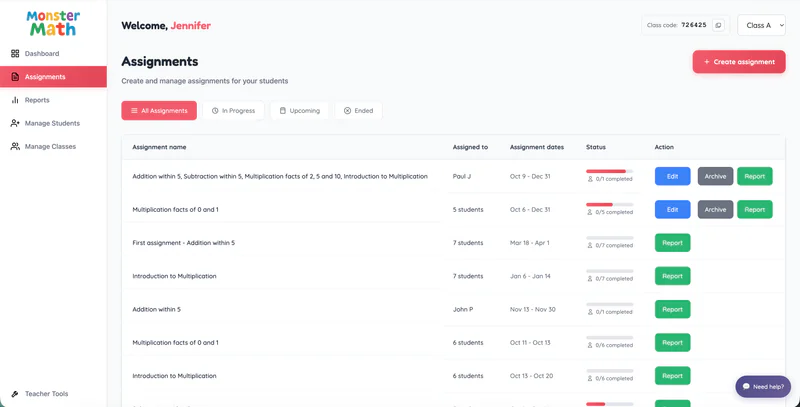
From the Teacher Dashboard, click Assignments in the left navigation panel.
Locate the assignment you want to archive.
Click Archive next to the assignment.
Confirm Archiving:
A confirmation pop-up will appear explaining that:
The assignment will end immediately.
Students will no longer be able to access or complete the assignment.
Click Archive to proceed.