To Delete a Student
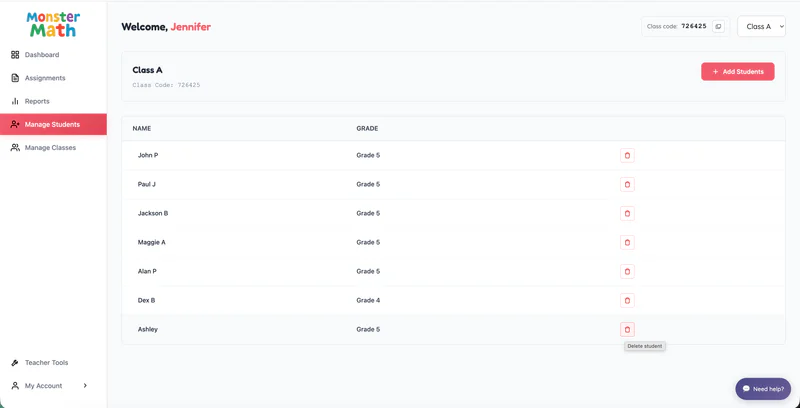
From the Teacher Dashboard, click Manage Students in the left navigation panel.
Locate the student you want to remove.
Click the Delete icon next to the student's name.
Confirm Deletion

A confirmation pop-up will appear explaining that:
Deleting a student is permanent and cannot be undone.
All data associated with the student will be permanently deleted.
Review the information carefully, then click Delete Student to proceed.