You can update the end date of an assignment at any time if you need to extend or shorten the assignment period.
To Edit an Assignment End Date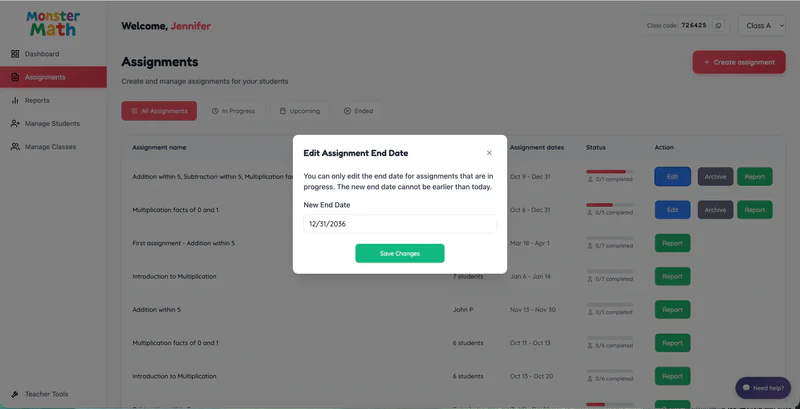
From the Teacher Dashboard, click Assignments in the left navigation panel.
Locate the assignment you want to update.
Click Edit next to the assignment.
Update the End Date as needed.
Click Save Changes to apply the new end date.