Teachers, you can import/re-import students for classes created using Clever, Google or ClassLink by following these simple steps: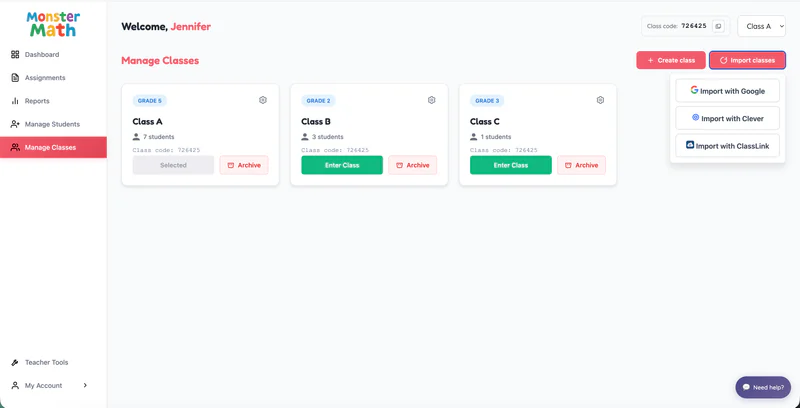
Log in to the teacher dashboard.
Go to 'Manage Classes' in the left panel.
Select the class from the top right corner of the screen (if multiple classes are created)
Click on 'Import Students'.
You will be redirected to a list of students available to import/re-import.
Note: A class created via Clever can only import/re-import students from Clever and the same applies for classes created via Google or ClassLink.