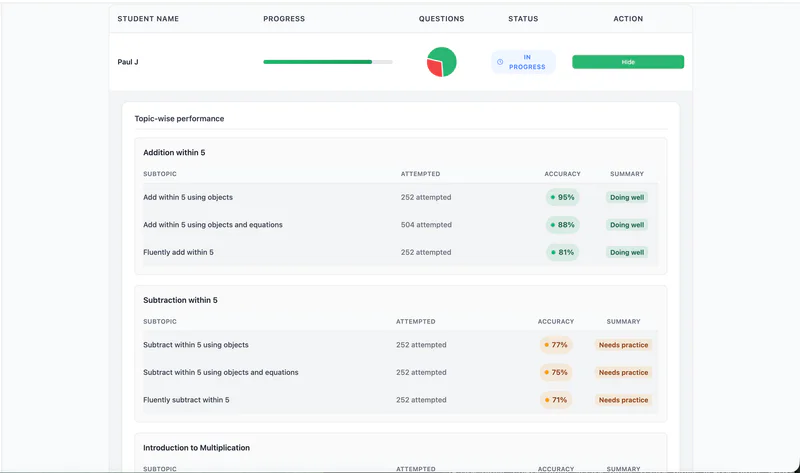
Detailed Assignment Reports now provide insights at the subtopic level, helping you identify specific areas where students are excelling or may need additional support.
To View Subtopic Performance
From the Teacher Dashboard, click Assignments in the left navigation panel.
Locate the assignment you want to review.
Click View Full Report for that assignment.
In the report, view student performance broken down by subtopic.
Use these detailed insights to better support student learning and track progress at a deeper level.