The Teacher Dashboard gives you a quick view of assignment activity and student progress for the selected class.
What You Can See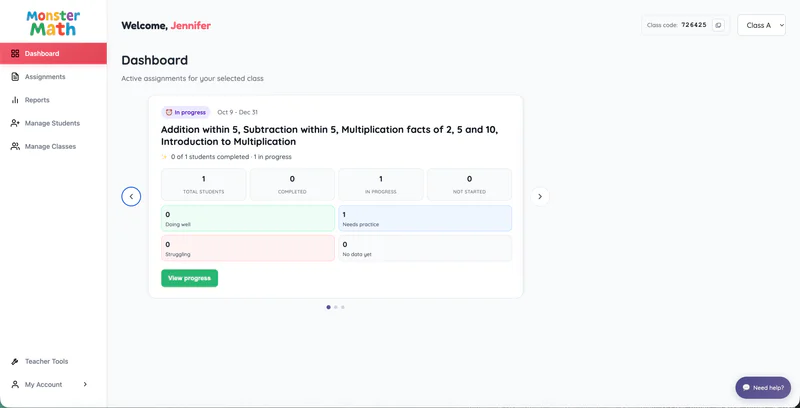
Active Assignments
View all active assignments currently assigned to the selected class. This helps you keep track of what students are working on and what's still in progress.
Assignment Duration
See the duration of each assignment, including when it starts and ends.
Detailed Progress Reports
Select "View Progress" to access detailed insights into student performance. Track completion status, accuracy, and progress for individual students or the entire class.
You can also create new assignments directly from the dashboard:
Class Assignment: Assign practice to the entire class.
Targeted Practice: Select specific students and assign personalized practice based on their learning needs.